

How to Build an AI-Ready Website: The 12-Signal Checklist
An AI-ready website passes 12 specific signals across access, structure, entities, and content depth. Here is the complete checklist with how-to-pass guidance.
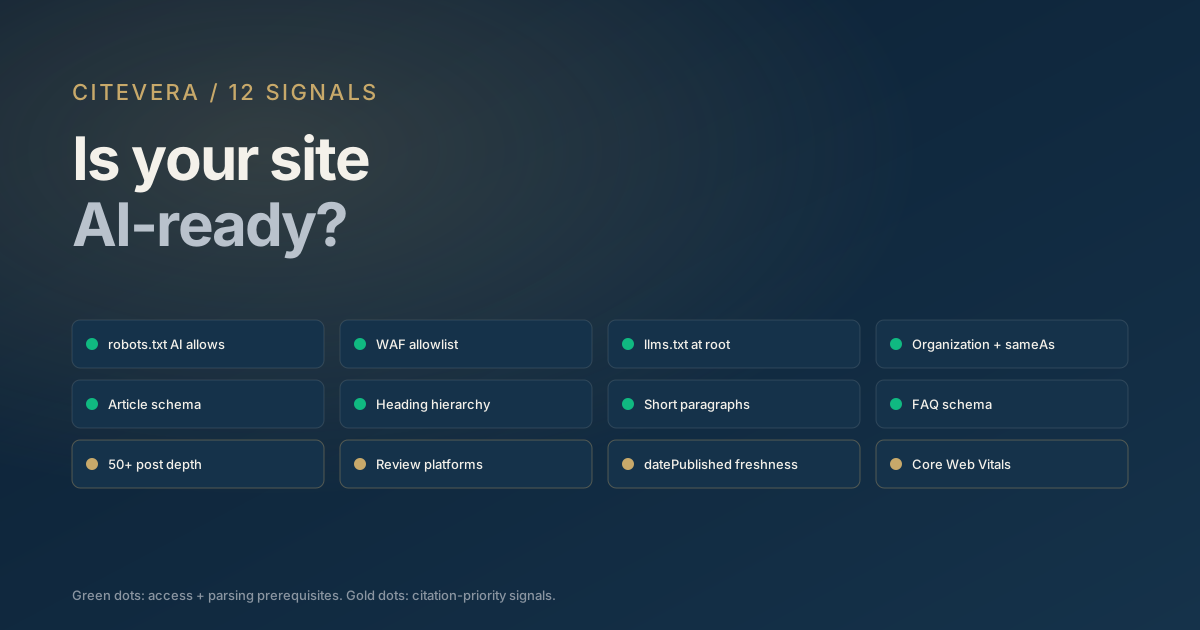
"Is my site AI-ready?" is the wrong question. The right question is: which of the twelve signals AI engines look for is my site passing, and which is it failing? An AI-ready website is not a single thing; it is a checklist. This post walks through the twelve signals that determine AI search visibility and how to verify each one on your own site.
The checklist is drawn from the Duda study of 858,457 sites (a single-platform, correlational dataset) plus observations from hundreds of Citevera audits. Each signal is scored pass or fail, not on a spectrum, because AI crawlers themselves score at the signal level.
The 12-signal overview
Before diving into each, here is the full list. We will cover them in order of priority.
1. robots.txt allows major AI crawlers 2. WAF allows major AI crawlers 3. llms.txt exists at site root 4. Homepage has Organization JSON-LD with sameAs 5. Individual pages have Article or appropriate schema type 6. Heading hierarchy is clean (one H1, clear H2s) 7. Paragraphs are short and self-contained 8. FAQ schema on pages that answer questions 9. Content depth is 50 or more indexed articles 10. Third-party review platforms are linked or embedded 11. datePublished and dateModified are set on all articles 12. Core Web Vitals pass
Signals 1-4 are prerequisites. Without them, the rest are wasted. Signals 5-8 determine how well your pages are parsed. Signals 9-12 determine how often you are cited versus a competitor.
Signals 1-4: the prerequisites
These four are non-negotiable. An AI-ready website passes all four.
1. robots.txt allows major AI crawlers
Check by visiting https://yourdomain.com/robots.txt. Look for explicit allow rules for GPTBot, OAI-SearchBot, ChatGPT-User, ClaudeBot, PerplexityBot, Google-Extended, and Applebot-Extended.
A blanket User-agent: * without disallows is not enough; some AI crawlers treat the absence of explicit permission as implicit denial. Our 2026 AI crawler user-agent reference has the exact block to paste.
2. WAF allows major AI crawlers
Check by reviewing your Cloudflare, AWS WAF, or similar dashboard for blocked requests. Filter for GPTBot, ClaudeBot, and PerplexityBot user agents. If they are being challenged or blocked, add them to the allowlist.
3. llms.txt exists at site root
Check by fetching https://yourdomain.com/llms.txt. You should see a Markdown file with a site summary and a curated priority page list. Our llms.txt explainer covers generation paths.
4. Homepage has Organization JSON-LD with sameAs
View page source on your homepage. Find the <script type="application/ld+json"> block. Confirm it has "@type": "Organization" with a sameAs array linking to your LinkedIn, Crunchbase, Wikidata, and Google Business Profile pages.
Sites with Google Business Profile sync - one strong entity signal of the kind complete Organization schema and sameAs provide - saw a 92.8% AI crawler rate versus 58.9% without (Duda, 2026; single-platform, correlational).
Signals 5-8: parsing quality
These four determine whether the crawler can actually extract your content once it has access.
5. Individual pages have schema
Every article should have Article JSON-LD. Every product page should have Product schema. Every pricing page should have Offer schema. Check each template in your CMS and confirm the output.
6. Heading hierarchy is clean
View source on any article. Count H1 tags; there should be exactly one. Count H2 tags; there should be several covering the main sections. H3s optional. If your "heading" is styled text inside a <div>, it does not count.
7. Paragraphs are short and self-contained
Open any article and visually inspect. Paragraphs should average one to three sentences. If any paragraph runs past four sentences and nobody could quote it without context loss, it is too long for AI extraction.
Our anatomy of a cited blog post walks through the paragraph shapes AI engines actually quote.
8. FAQ schema on pages that answer questions
Pages with an explicit question and answer structure should have FAQPage JSON-LD. Pricing pages with common purchase questions, documentation with "how do I..." structure, and category pages with buyer FAQs all qualify.
Signals 9-12: citation priority
These four determine which site gets cited when multiple have all the prerequisites.
9. Content depth is 50 or more indexed articles
Check your sitemap. Count URLs under /blog/, /articles/, /posts/, /insights/, /resources/, or your equivalent content-hub path. If you have fewer than 50, you are in the "thin" bucket and the 33x crawler visit multiplier is ahead of you.
Sites with 50+ posts averaged 1,373.7 AI crawler visits versus 41.6 for sites with none (Duda, 2026). The content depth guide covers editorial strategy for closing the gap.
10. Third-party review platforms are linked or embedded
Check your footer, about page, and trust section for outbound links to G2, Capterra, Trustpilot, Clutch, Yelp, or industry-specific review platforms. Sites with review integrations averaged 89.8% crawl rate (Duda, 2026).
11. datePublished and dateModified are set
View source on any article. Confirm the Article schema has datePublished and dateModified fields populated. Stale dates on otherwise-current content suppress citation weight.
12. Core Web Vitals pass
Run PageSpeed Insights on your top 10 pages. Largest Contentful Paint under 2.5s, Interaction to Next Paint under 200ms, Cumulative Layout Shift under 0.1. AI engines increasingly use these as tie-breakers between similar sources.
How to use this checklist
A few practical notes on applying the twelve-signal checklist.
1. Work top to bottom. Signals 1-4 are prerequisites. Do not spend time on signal 9 if signal 1 is failing. 2. Score each signal pass or fail, not partial. A half-implemented schema is closer to zero signal than to full signal. 3. Time-box the audit. An AI-ready website check should take 30 to 60 minutes for a small site, 2 to 3 hours for a large one. Longer than that means you are debugging, not auditing. 4. Re-run quarterly. Signals drift as your stack evolves. A CMS update, a CDN change, or a WAF rule modification can break a signal silently.
Automating the audit
The twelve-signal check is mechanical enough to automate. Citevera runs all twelve checks and produces a pass-fail report in 1-3 minutes for most sites. For most sites that is faster than reading this post.
If you are on WordPress, the Citevera plugin also auto-applies fixes for signals 1, 3, 4, 5, 8, and 11 with one click. The remaining signals require editorial or infrastructure decisions that cannot safely be automated.
Key takeaways
- An AI-ready website passes 12 specific signals, not a single vague criterion.
- Signals 1-4 (access and entity) are prerequisites; skip them and nothing else matters.
- Signals 5-8 (schema, headings, paragraphs, FAQ) determine how well you are parsed.
- Signals 9-12 (depth, reviews, freshness, CWV) determine whether you are cited versus a competitor.
- The audit is mechanical; 30-60 minutes manually, or 1-3 minutes automated.
What to do next
Run the twelve-signal check on your site in 1-3 minutes at scan.citevera.com. The report scores each signal pass or fail and ranks fixes by impact.
If you plan to run the checklist across a portfolio of client sites, Citevera for agencies handles bulk rescans and white-label reports. See pricing for the tiers.