

WordPress AI Search Optimization: A Complete Guide
WordPress AI search optimization covers robots.txt, schema, llms.txt, and content depth from inside WP Admin. Here is the complete guide for WordPress sites.
WordPress powers roughly 40% of the web, which means WordPress AI search optimization decisions affect more sites than any other single CMS. The good news: WordPress's plugin ecosystem and flexible template system make most AEO fixes straightforward. The bad news: it also means WordPress sites accumulate configuration drift faster, and many sites have broken AEO signals without realizing it.
This complete guide covers WordPress AI search optimization end-to-end: the plugins you need, the template changes that matter, and the specific WordPress-native mistakes to avoid. It assumes a standard WordPress install; the patterns translate cleanly to WooCommerce, multi-site, and most page builders.
Why WordPress needs specific guidance
Generic AEO advice applies to WordPress, but three WordPress-specific dynamics shape how it plays out.
Plugin conflicts. SEO plugins (Yoast, RankMath, SEOPress), caching plugins (WP Rocket, W3 Total Cache), and security plugins (Wordfence, Sucuri) all touch AEO-relevant surfaces. Conflicts between them often produce silent AEO failures.
Theme variability. WordPress themes control schema output, heading hierarchy, and hero structure. A theme designed in 2019 may emit schema that was valid then but is incomplete for 2026 AEO standards.
Hosting-level WAF. Managed WordPress hosts (WP Engine, Kinsta, SiteGround) often run WAFs that block AI crawlers by default. The site owner does not see these blocks in WordPress admin; they are silent at the hosting layer.
Each of these creates a gap between "my plugins say AEO is fine" and "AEO actually works on my site."
The WordPress AI search optimization checklist
Eight items to verify on any WordPress site, in priority order.
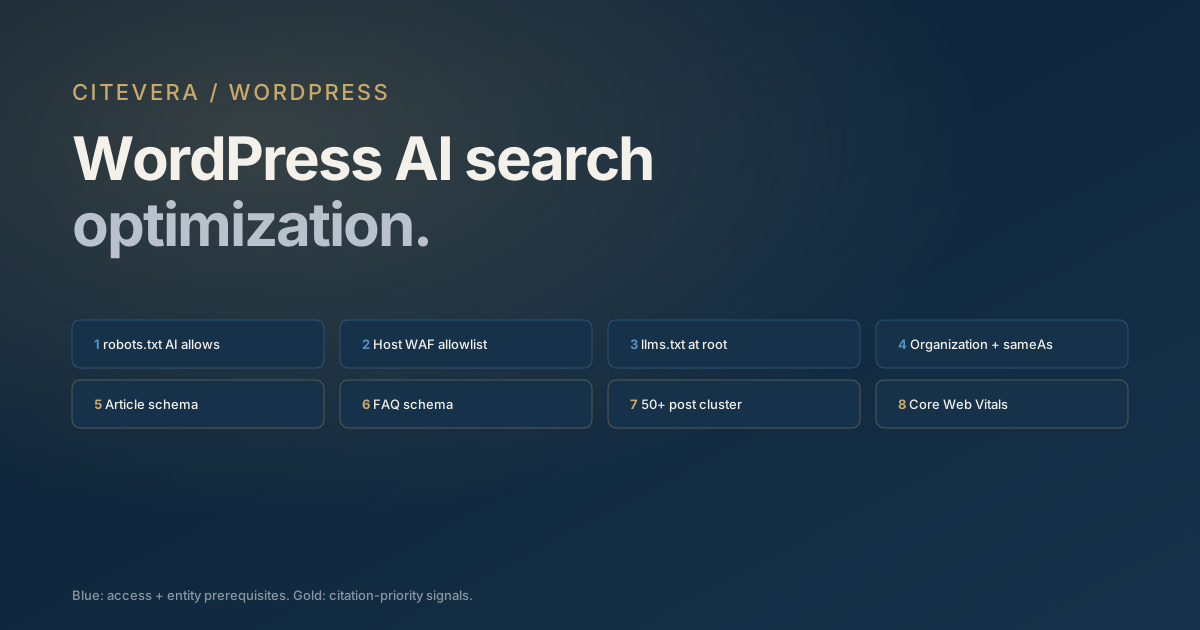
1. robots.txt allows AI crawlers (GPTBot, ClaudeBot, PerplexityBot, Google-Extended, Applebot-Extended) 2. Host WAF does not block AI crawler user agents 3. llms.txt exists at site root 4. Homepage emits Organization JSON-LD with complete sameAs 5. Article JSON-LD on every post and page 6. FAQ schema on pages with question-answer structure 7. Content depth reaches 50+ posts in at least one topic cluster 8. Core Web Vitals pass on top 10 pages
The first four are non-negotiable prerequisites. Items five through seven can be improved over time. Item eight is a hygiene check.
Our AI-ready website 12-signal checklist covers the general version of this list. The WordPress-specific differences follow below.
robots.txt in WordPress
WordPress generates a virtual robots.txt by default, which is usually incomplete. Three ways to fix it.
Option 1: edit via plugin. Yoast, RankMath, and similar SEO plugins expose robots.txt editing. The trap: these plugins often pre-populate the file with rules optimized for Googlebot, with no awareness of AI crawler user agents. You need to add the AI crawler block manually.
Option 2: create a static robots.txt file. Drop a physical robots.txt at your site root via SFTP or the host file manager. This overrides WordPress's virtual version. The block from our complete robots.txt guide for AI crawlers drops in as-is.
Option 3: use the Citevera plugin. The Citevera WordPress plugin maintains a compliant robots.txt from inside WP Admin and keeps it current as new AI crawler user agents appear.
Whichever option you pick, verify by fetching https://yourdomain.com/robots.txt in a browser. Confirm the file content is what you expect.
Schema markup in WordPress
WordPress schema output depends on your SEO plugin. The big three (Yoast, RankMath, SEOPress) all emit Article schema automatically. Where they differ is on Organization schema, sameAs completeness, and FAQPage coverage.
Three schema checks to run in WordPress admin:
Check 1: view source on your homepage and find the <script type="application/ld+json"> block. Confirm Organization schema with sameAs is present. Most SEO plugins let you configure sameAs in Settings > Social or equivalent; populate LinkedIn, Twitter, Crunchbase, and any review platform URLs.
Check 2: view source on a recent blog post. Confirm Article JSON-LD with author (linked to a Person schema block, not just text), publisher, datePublished, and dateModified fields.
Check 3: view source on a page that has a FAQ section. If your SEO plugin supports FAQPage schema, confirm the FAQ block is emitting it. RankMath has FAQ blocks built in; Yoast requires a separate plugin or Gutenberg FAQ block; SEOPress handles it via its structured data module.
For deeper detail on schema types, our schema.org for AI search entity graph blueprint covers the four-layer structure.
llms.txt on WordPress
llms.txt requires a plain-text file at your site root. Three paths:
1. Physical file. SFTP or host file manager to drop llms.txt at the site root. Works, but you have to manually update it when you publish new content. 2. Rewrite rule. Add a rewrite in .htaccess or nginx config that serves a dynamically-generated llms.txt from a theme function or plugin endpoint. Requires developer attention. 3. Plugin. The Citevera plugin generates llms.txt from your post taxonomy and keeps it current automatically.
Our what is llms.txt explainer covers the file contents and common mistakes.
Content depth in WordPress
WordPress's taxonomy system (categories and tags) makes topical depth measurement straightforward. Two metrics to track:
- Posts per category. Aim for 50+ in your primary topic categories. WordPress makes this easy to query via the Posts > Categories admin view.
- Internal linking density. Posts within a topic cluster should link to each other. WordPress's default search and related-posts plugins often create thin linking; consider a more deliberate topic-cluster plugin.
Citevera's content depth audit covers the 33x citation-rate multiplier that 50+ post clusters produce. On WordPress, the depth measurement is simpler to execute but still requires editorial investment over quarters.
Common WordPress AI search optimization mistakes
Five patterns show up in WordPress audits regularly. Avoiding them is straightforward once you know what to look for.
1. Caching plugins excluding schema from minification but including it in page cache. Flush cache after schema changes or they do not take effect for AI crawlers until the cache expires. 2. Security plugins setting aggressive rate limits on automation user agents. Wordfence and Sucuri default rules sometimes block GPTBot fetches. Add the AI crawler user agents to the allowed list. 3. Multisite installs with inconsistent Organization schema across subsites. Each site in a multisite needs its own Organization schema; do not inherit from the main site without verifying the entity name matches. 4. Page builders (Elementor, Divi, Beaver Builder) replacing H1 with styled divs. View source on page-builder pages and confirm an actual <h1> tag is present. 5. Staging sites accidentally indexed. If your staging site has AI crawler access without a noindex meta, it may get cited instead of production. Double-check staging environments.
WordPress AI search optimization in 30 minutes
A practical 30-minute workflow for a WordPress site audit.
- 0:00-0:05: fetch robots.txt and confirm AI crawler allow rules exist
- 0:05-0:10: view source on homepage, find Organization JSON-LD, verify sameAs
- 0:10-0:15: view source on three recent blog posts, verify Article schema + author linkage
- 0:15-0:20: check server logs for GPTBot / ClaudeBot / PerplexityBot activity in the last 7 days
- 0:20-0:25: check WordPress admin for security plugin blocked-requests list
- 0:25-0:30: note gaps, estimate effort to close each
This produces a punch list. Most WordPress sites have 3 to 5 fixes on the list after a first audit. Ship them in sequence and re-audit.
Key takeaways
- WordPress AI search optimization has three unique dynamics: plugin conflicts, theme variability, and hosting WAFs.
- The eight-item checklist: robots.txt, WAF, llms.txt, Organization schema, Article schema, FAQ schema, content depth, CWV.
- Schema behavior in WordPress depends on your SEO plugin; verify via view-source, not just plugin UI.
- llms.txt is easy to ship via physical file, rewrite rule, or plugin.
- Five common mistakes: cache interference, security plugin blocks, multisite inconsistency, page-builder H1 replacement, staging indexation.
What to do next
Run a free audit at scan.citevera.com against your WordPress site. The report flags WordPress-specific issues automatically, including plugin conflicts and theme-level schema gaps.
For the one-click WordPress-native workflow, the Citevera plugin auto-applies the fixes for robots.txt, llms.txt, Organization schema, and FAQ schema from inside WP Admin.