

What Is llms.txt? A Marketer's Simple Explainer
What is llms.txt? It is a plain-text file at the root of your domain that tells AI engines which pages to prioritize when summarizing your site. Here is the marketer's explainer.
If you have spent any time reading about AI search recently, you have probably seen llms.txt mentioned. It sounds technical. It sounds like something a developer needs to handle. It is neither.
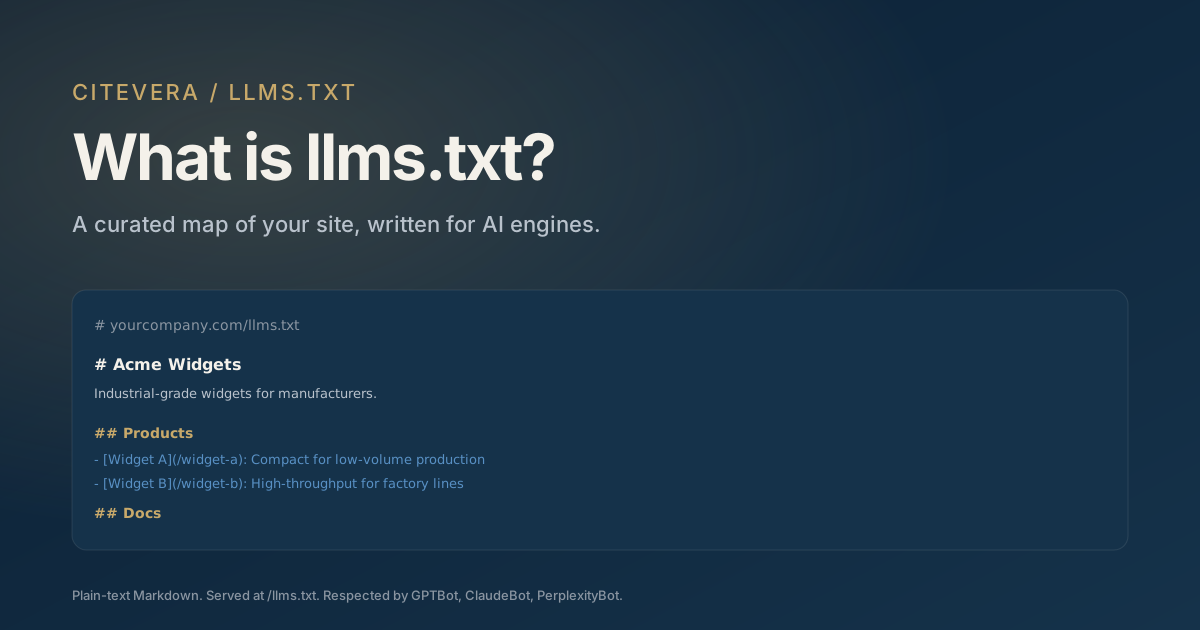
What is llms.txt? In plain English, it is a small text file you put at the root of your website, like robots.txt, that tells AI engines what your site is about and which pages matter most. This explainer covers what it does, what it does not do, and whether you need one.
The basic definition
What is llms.txt, technically? It is a plain-text file served at https://yourdomain.com/llms.txt. The file is written in Markdown. AI engines that support the spec will fetch it when they visit your site and use it as a summary-level index of your content.
The file does two jobs:
- Summarizes what your site is about in human-readable prose
- Lists your most important pages with short descriptions, so AI engines can prioritize them when answering questions that touch your domain
That is the whole specification at the marketer's level of detail. Technically it goes deeper, but those two jobs are the heart of it.
Why llms.txt matters for AI search
> Already have one? Run the free llms.txt reality check - it fetches your file the way a crawler does and catches the serving failures paste-in validators cannot see.
AI engines face a curation problem. When they crawl your site, they may see hundreds of pages. Which ones are the authoritative sources for a given question? Without guidance, the model has to guess from heading structure, internal linking, and freshness signals.
llms.txt lets you provide the guidance directly. The file is essentially a curated map of your site written for AI, pointing the engine at the pages you want cited.
This matters because AI engines are fragment-based. They cite specific passages from specific pages. If the model has a choice between three similar pages on your site, llms.txt can tip the scale toward the one you want cited.
What llms.txt is not
A few common misconceptions worth clearing up.
llms.txt is not robots.txt. robots.txt tells crawlers what they are allowed to fetch. llms.txt tells them what matters most among the things they are already allowed to fetch. The two files serve different jobs and you need both.
llms.txt is not a ranking signal in the classic SEO sense. It does not improve your Google rankings. It is specific to AI answer engines that support the spec.
llms.txt is not universally supported. As of 2026, major AI engines including OpenAI, Anthropic, and Perplexity honor llms.txt when present. Google's support is partial and evolving. Smaller engines vary. Treating it as a belt-and-suspenders measure is more accurate than treating it as a silver bullet.
llms.txt is not a replacement for schema markup. Schema (JSON-LD for Organization, FAQPage, Article, and so on) provides structured data about individual pages. llms.txt provides site-level curation. Both matter.
What goes in an llms.txt file
The format is straightforward. A typical llms.txt has three sections:
1. Site summary
One paragraph at the top of the file describing what your site is about. This is the elevator pitch the model reads before diving into page details.
2. Priority page list
Markdown links with short descriptions, organized by topic. Example:
# Acme Widgets

Acme Widgets makes industrial-grade widgets for manufacturers. We publish
technical documentation, pricing, and case studies for buyers evaluating
widget suppliers.

## Products

- [Widget A](https://acme.com/widget-a): Compact widget for low-volume production
- [Widget B](https://acme.com/widget-b): High-throughput widget for factory lines

## Documentation

- [Getting started](https://acme.com/docs/getting-started)
- [API reference](https://acme.com/docs/api)
3. Optional llms-full.txt
Some sites publish a second file, llms-full.txt, which contains the full text of the listed pages concatenated into one document. This is useful for smaller sites where the AI engine can reasonably ingest the whole thing as a single document. Our guide to writing llms-full.txt covers when it is worth generating.
How to generate llms.txt
There are three paths to getting an llms.txt on your site, ranging from fastest to most thorough.
1. Use an automated generator. Tools like Citevera generate an initial llms.txt from your sitemap in seconds. The output is a reasonable starting point that you can refine manually. 2. Hand-write it. For smaller sites (fewer than 50 pages), writing llms.txt manually takes 30 to 60 minutes and produces the highest-quality output because you control exactly which pages get prioritized and how each is described. 3. Use a WordPress plugin. If your site runs on WordPress, the Citevera plugin generates llms.txt from your post taxonomy and updates it automatically as you publish new content.
Our detailed llms.txt generation guide walks through each path in depth.
How to verify your llms.txt is working
Once you have llms.txt live, three checks confirm it is set up correctly:
- Fetch
https://yourdomain.com/llms.txtin a browser with cache disabled. You should see the Markdown source render as plain text. - Check server logs for fetches from GPTBot, ClaudeBot, PerplexityBot, and other AI crawlers. Within 48 hours you should see at least GPTBot fetching the file.
- Run a query in ChatGPT or Perplexity that should trigger your site. If your llms.txt is priming the engine correctly, the cited page should be one of the ones you highlighted in the priority list.
When llms.txt helps the most
llms.txt pays off most on two kinds of sites. Knowing whether yours fits either pattern tells you how much to invest in getting the file right.
Large sites with deep content surfaces. If your site has more than 100 pages, AI engines face a real curation problem when deciding which pages to prioritize. llms.txt becomes high-leverage: a 30-line file can meaningfully re-weight the crawler's attention toward your best pages.
Sites with conflicting content on the same topic. Ecommerce stores with both category pages and editorial guides on the same product line, or SaaS companies with docs, blog posts, and marketing pages all covering similar ground, benefit from llms.txt telling the engine which surface is the authoritative one.
On small brochure sites with fewer than 20 pages, llms.txt is still worth shipping but the marginal benefit is smaller because the engine can already parse the full site without guidance.
Common mistakes
Most llms.txt implementations fail for one of three reasons.
File is served as HTML, not plain text. Some web servers mis-configure the content type. Check that https://yourdomain.com/llms.txt returns Content-Type: text/markdown or text/plain, not text/html.
File is blocked by robots.txt. Ironically, some sites disallow /llms.txt in robots.txt because it is in an uncommon path. Make sure the file is explicitly allowed.
Priority list is too long. llms.txt is meant to highlight the 20 to 50 most important pages. Listing 500 pages defeats the point. If every page is a priority, none is.
Key takeaways
- llms.txt is a plain-text Markdown file at your root that tells AI engines what your site is about and which pages to prioritize.
- It complements robots.txt and schema markup; it does not replace either.
- Major AI engines including OpenAI, Anthropic, and Perplexity honor it.
- The file has two jobs: site summary and curated page list.
- Common mistakes: wrong content type, blocked by robots.txt, priority list too long.
What to do next
Run a free audit at scan.citevera.com to check whether your site has a working llms.txt. The report generates a suggested llms.txt for you if one is missing, with the 20 most important pages pre-selected from your sitemap.
If you run a WordPress site, the Citevera plugin auto-generates and maintains llms.txt as you publish new content, so you never have to remember to update it.