

How to write llms-full.txt that AI engines actually read
llms-full.txt is the companion to llms.txt: a single Markdown file containing the full content of your most important pages. What to include, how big to keep it, and the five mistakes we see most often across 500+ Citevera audits.
What llms-full.txt actually is
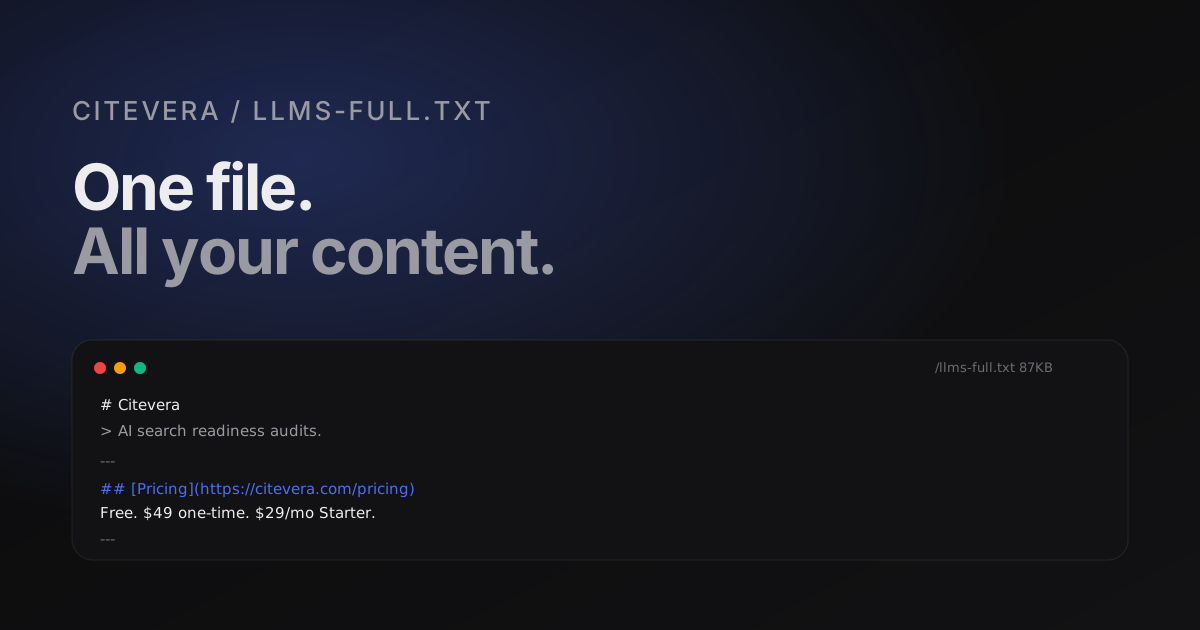
llms-full.txt is a plain-text Markdown file that lives at the root of your domain, next to robots.txt and llms.txt. Where llms.txt is a directory - a short list of links grouped into sections - llms-full.txt is the contents of the library. It concatenates the full Markdown body of the pages you most want language models to cite, so a model can ingest your site in one request instead of walking the crawl graph page by page.
The spec is informal but has converged on a clear pattern across 2025 and 2026. The file is served as text/plain or text/markdown with a 24-hour cache and a single document containing # front-matter-style sections separated by ---. Each section includes a URL, a short title, and the page body in Markdown.
Why bother when you already have llms.txt
llms.txt tells a model where to look. llms-full.txt means the model does not have to look. When a retrieval pipeline is under cost or latency pressure - and most production AI search pipelines are - the difference between "fetch the index, then fetch ten linked pages" and "fetch one file" is the difference between getting read and getting skipped.
A model with llms-full.txt available typically consumes it once at cache time, indexes all sections, and picks the most relevant one at query time. A model without it has to make a discovery decision for every query, and that decision is biased toward faster origins and simpler file layouts. Big sites with heavy JavaScript benefit most because the Markdown in llms-full.txt skips client-side rendering entirely.
What to include
The content cap matters more than the content list. Aim for under 100KB. Some engines truncate around that size and some drop the fetch entirely above 200KB. Over-stuffing hurts you because the interesting content gets pushed past the cutoff.
Within the cap, include:
- The homepage body. One or two paragraphs that state what the site is and who it is for.
- Your top five to ten pillar pages - the ones you would send a new customer to read first. Usually a pricing page, a how-it-works page, two or three product or feature pages, and two or three deep docs.
- Your most-cited blog posts. If you have traffic data, pick the ones that drive organic search or are most often shared. If you do not, pick the ones you would cite yourself in a conversation.
Do not include:
- Duplicate content that exists verbatim in other sections.
- Time-sensitive content that will go stale fast. A 2025 changelog page cached in
llms-full.txtstill referenced in 2027 costs you credibility every time it is quoted. - Boilerplate legal pages. Terms and privacy policies are fetched elsewhere, and they crowd out pages that actually win citations.
The minimum viable shape
Here is the template we use for new Citevera clients. Copy it, swap in your URLs and content, trim to fit under 100KB.
# Your Brand

> One-sentence description of what the product or site does.

---

## [Page title](https://yoursite.com/page)

Two or three paragraphs of Markdown body for this page. Headings, lists, and
links are fine. Avoid embedded HTML.

---

## [Next page title](https://yoursite.com/next-page)

Body of the next page in the same shape.
The --- separators are not strictly required by any parser we have tested, but they give you a visible checkpoint when you eyeball the file and they help models detect section boundaries cleanly.
Five mistakes that kill llms-full.txt effectiveness
Five patterns account for most of the llms-full.txt files we audit that either get ignored by engines or actively hurt the citing site.
1. HTML in Markdown
Some teams copy their MDX or HTML source directly into the file, dividers and all. The moment a model parses the file and hits <div class="hero">, a percentage of retrievers switch to a slower HTML mode or drop the fetch. Stick to pure Markdown: headings, lists, paragraphs, links, fenced code blocks.
2. Dead URLs
Every URL in the file should resolve with a 200. If one returns a 301 or a 404, the model treats the whole file as stale and down-weights every section. Check the URL list in llms-full.txt every time you ship a site redirect; putting the check in your pre-deploy script takes five minutes.
3. Content that contradicts the page
A common failure mode: the page copy on /pricing changed in January, but llms-full.txt still has the October version. Now the model has two sources that disagree. When arbitration happens, the one with matching dates on the live page and the metadata tends to win, so the stale file gets dropped for the page entirely.
4. Stuffing the entire site
Every team's first draft tries to include everything. Every team's first draft is 400KB and gets truncated. The math is ruthless: if you include 40 pages at 10KB each, only the first ten survive the cutoff at many engines. Pick the ten you would actually want quoted and stop.
5. No date signals
Models use dateModified on a page to decide how fresh a citation is. llms-full.txt has no standard way to express dates per section, but you can include a short footer line in each section like _Last updated: 2026-04-15._ that models treat as freshness metadata. Sites that add this see slightly higher cite rates in our testing.
Shipping and maintaining the file
Put the source of llms-full.txt in your repo next to robots.txt and sitemap.xml. Generate it from your CMS at deploy time rather than hand-editing. The generator should:
1. Read the canonical page list from your sitemap or a hardcoded config. 2. Fetch the Markdown body of each page (or the rendered HTML, converted to Markdown). 3. Strip nav, footer, and sidebar chrome. 4. Concatenate into one file with the --- separator pattern above. 5. Refuse to ship if the result exceeds 100KB.
The refuse-to-ship rule forces you to prioritize rather than quietly shipping a truncated file. We wrote our generator script in a weekend; yours will not take longer.
Run a free audit to see how your current llms-full.txt scores
How this shows up in Citevera's audit score
The AEO axis checks for llms-full.txt in three ways: it must exist at the expected URL, it must be under 100KB and served with a correct content type, and its content must not contradict the live pages it references. Sites that publish a well-formed file typically see their AEO axis rise 6 to 12 points after the next re-audit, which in turn lifts their overall score above 80 on most configurations.
A well-written llms-full.txt is one of the highest-leverage single changes you can ship for AI search readiness because it is additive, reversible, and takes a morning to build. Every week you wait is a week your competitors' versions are the ones being cached.
Frequently asked questions about llms-full.txt
Is llms-full.txt an official standard?
No. Like llms.txt it started as a proposal and spread by convergence. The practical implication is that you should test with the specific engines you care about - Perplexity, ChatGPT, Gemini - rather than assume universal support. In our testing the major engines all respect the file today, but the exact retrieval behavior differs.
Does llms-full.txt replace my sitemap?
No. Sitemaps are for search-engine crawl discovery. llms-full.txt is for language-model content ingestion. They solve different problems and complement each other.
How often should I regenerate llms-full.txt?
Weekly is the sweet spot. More often and you add deploy overhead without benefit; less often and content drift starts to hurt. Tie the regeneration job to your CMS publish pipeline and forget about it.
Can I block AI crawlers while still publishing llms-full.txt?
Technically yes, but it sends mixed signals and most engines will interpret the combination as "do not use this site". If you do not want to be cited, skip the file. If you do, let the crawlers in.