

The Complete robots.txt Guide for AI Crawlers in 2026
The complete robots.txt AI crawlers guide: exact allow rules, sitemap handling, case sensitivity gotchas, and the three mistakes that silently block AI.
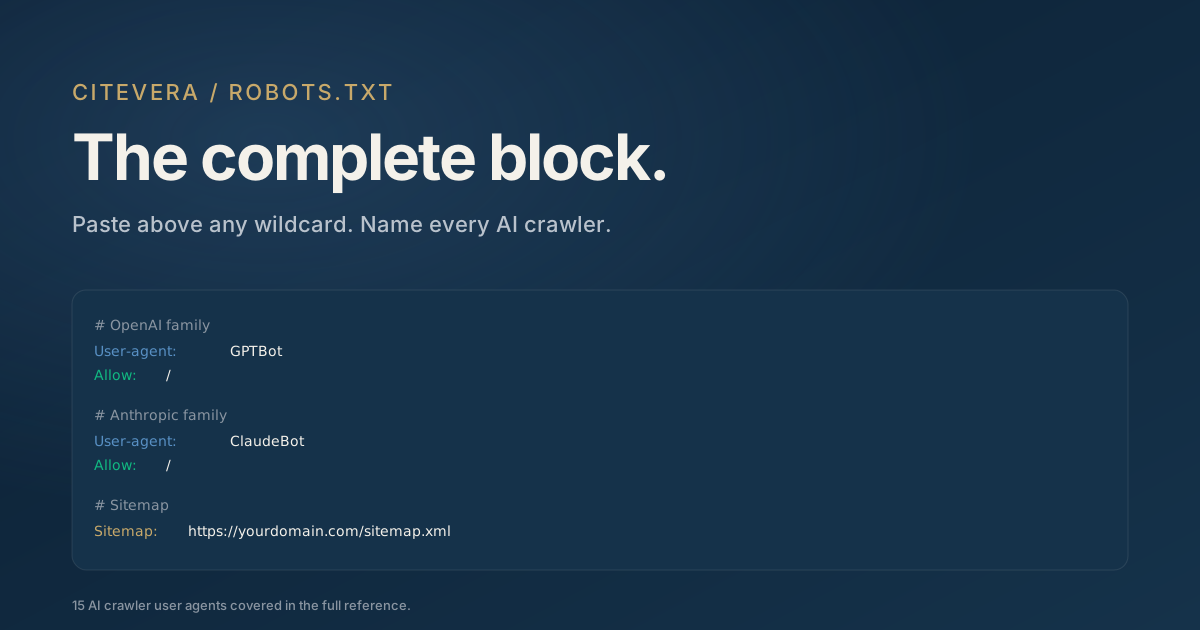
robots.txt is the contract every AI crawler reads before deciding whether to fetch your site. Most sites have a robots.txt that works fine for Googlebot and fails silently for GPTBot, ClaudeBot, and PerplexityBot. This guide covers the full 2026 protocol for robots.txt and AI crawlers, with explicit rules for each major engine.
We focus on the protocol: the syntax, the ordering, and the specific gotchas that trip up otherwise-correct implementations. For the underlying reason AI crawlers matter (AI-crawled sites saw a 3.2x traffic gap per Duda 2026, a single-platform correlational finding), see the cost of AI search invisibility.
Why robots.txt AI crawlers rules differ from Googlebot rules
The core difference: AI crawlers expect explicit named allow rules. Googlebot is permissive by default; if your robots.txt does not mention it, Googlebot assumes it is allowed. GPTBot and ClaudeBot are the opposite; if your robots.txt does not explicitly allow them, some configurations interpret that as implicit denial.
The practical implication: a robots.txt that says only User-agent: * with no rules is fine for Googlebot and ambiguous for AI crawlers. The ambiguity tends to resolve in the "block" direction at the WAF layer even when robots.txt itself does not contain an explicit disallow.
The complete 2026 block
> Not sure what your site declares? Check any URL against all 13 AI crawler agents - free, with the exact robots.txt rule that decides each verdict.
Here is the robots.txt AI crawlers block for 2026. Paste this into your existing robots.txt, under your Googlebot rules and above any wildcard User-agent: * block.
# OpenAI
User-agent: GPTBot
Allow: /

User-agent: OAI-SearchBot
Allow: /

User-agent: ChatGPT-User
Allow: /

# Anthropic
User-agent: ClaudeBot
Allow: /

User-agent: anthropic-ai
Allow: /

User-agent: Claude-User
Allow: /

# Google AI
User-agent: Google-Extended
Allow: /

# Perplexity
User-agent: PerplexityBot
Allow: /

User-agent: Perplexity-User
Allow: /

# Common Crawl
User-agent: CCBot
Allow: /

# Apple, Meta, Amazon
User-agent: Applebot-Extended
Allow: /

User-agent: Meta-ExternalAgent
Allow: /

User-agent: Amazonbot
Allow: /

# Cohere, Diffbot
User-agent: cohere-ai
Allow: /

User-agent: Diffbot
Allow: /
Our 2026 AI crawler user-agent reference covers what each user agent does and which AI answer engine it feeds.
Three mistakes that silently block AI crawlers
Even teams that paste the correct block often hit one of three silent-failure modes.
1. Wildcard disallow overrides explicit allow
The failure pattern: a team adds the AI-crawler allow block but leaves a blanket User-agent: * / Disallow: / rule earlier in the file. Some crawlers interpret the first matching rule, not the most specific, and the wildcard wins.
The fix: either remove the wildcard rule entirely or move your AI-crawler allow block above it. Order matters in robots.txt for AI crawler protocols even though the RFC technically says it should not.
2. Case-sensitive user-agent matching
Your web server or reverse proxy may do case-sensitive user-agent matching. gptbot and GPTBot end up in different buckets. Always match the published capitalization exactly: GPTBot, not gptbot or Gptbot.
3. WAF blocking before robots.txt reads
Cloudflare, AWS WAF, and similar services often block unfamiliar automation user agents before the request reaches your robots.txt. The crawler gets a 403 or challenge page, records the site as unreachable, and your robots.txt never matters. The fix is to explicitly allowlist each AI crawler user agent at the WAF layer.
Sitemap declaration
robots.txt for AI crawlers should also declare your sitemap. AI engines use the sitemap to prioritize which pages to crawl and to discover new content between crawl passes.
Sitemap: https://yourdomain.com/sitemap.xml
If you have a sitemap index (multiple child sitemaps), point at the index:
Sitemap: https://yourdomain.com/sitemap_index.xml
AI crawlers that honor the sitemap protocol will recurse through index files to reach actual page URLs. If your sitemap is only discoverable via the homepage HTML head <link rel="sitemap"> tag, some crawlers will miss it entirely.
Path-level disallow inside an allow block
A common real-world pattern: you want to allow an AI crawler to index your marketing site but not your admin dashboard or staging environment. Use path-level disallow inside the specific user-agent block:
User-agent: GPTBot
Allow: /
Disallow: /admin/
Disallow: /staging/
Disallow: /wp-admin/
This pattern gives you fine-grained control without blocking the crawler entirely. Useful for:
- Admin areas (/wp-admin, /admin, /dashboard)
- Staging or dev environments on the same domain
- Internal documentation with credentials exposure risk
- User-specific pages (/user/*, /account/*)
How to verify your robots.txt is working
After updating your robots.txt AI crawlers rules, run four checks.
1. Fetch https://yourdomain.com/robots.txt in a browser. Confirm the rules are present and properly ordered. 2. Confirm the content type. It should be text/plain. If it is text/html, your server is mis-serving the file. 3. Wait 24 to 72 hours, then check server logs for GPTBot, ClaudeBot, and PerplexityBot fetches. You should see activity within that window. 4. If no activity appears, check your WAF dashboard. Filter blocked requests by user agent. If the crawlers are blocked at the WAF layer, the robots.txt fix is not sufficient.
Should you ever disallow AI crawlers?
Some teams want to block AI crawlers on principle or to preserve content exclusivity. Three scenarios where disallowing AI crawlers is defensible:
- Subscription-gated content you do not want paraphrased in AI summaries
- Legal or compliance requirements specific to your industry
- Small research sites where AI ingestion could cause attribution confusion
For marketing sites and commercial content, disallowing AI crawlers is almost always net-negative. The cost of AI search invisibility calculation shows why: the foregone traffic and citation value typically exceeds any exclusivity benefit by a wide margin.
Robots.txt AI crawlers checklist
A final checklist to run through before considering your robots.txt AI crawlers configuration complete:
1. Explicit allow rules for GPTBot, OAI-SearchBot, ChatGPT-User, ClaudeBot, PerplexityBot, Google-Extended, Applebot-Extended at minimum 2. Sitemap declaration pointing at your sitemap.xml or sitemap_index.xml 3. Any wildcard User-agent: * rules positioned below the AI crawler allows 4. WAF allowlist entries for each AI crawler user agent 5. Content type served as text/plain (not text/html) 6. Verification that AI crawlers are fetching the file within 72 hours of deployment
If any of these fails, the robots.txt AI crawlers configuration is partially broken even if the file itself looks correct.
Key takeaways
- AI crawlers expect explicit named allow rules in robots.txt, unlike Googlebot which is permissive by default.
- The three silent-failure modes are wildcard disallow overrides, case-sensitive user-agent mismatches, and WAF blocks.
- Sitemap declaration matters for AI crawlers; they rely on it for prioritization.
- Path-level disallow inside a crawler-specific block gives fine-grained control over admin and staging areas.
- Verify with server logs within 72 hours of deployment; without log confirmation, the configuration is not proven.
What to do next
Run a free audit at scan.citevera.com to verify your robots.txt is reachable, properly formatted, and serving the correct rules for AI crawlers. The report also flags WAF-level blocks that the robots.txt cannot fix alone.
If you are on WordPress, the Citevera plugin generates a compliant robots.txt from inside WP Admin and keeps it current as new AI crawler user agents appear.