

The 2026 AI crawler user-agent reference
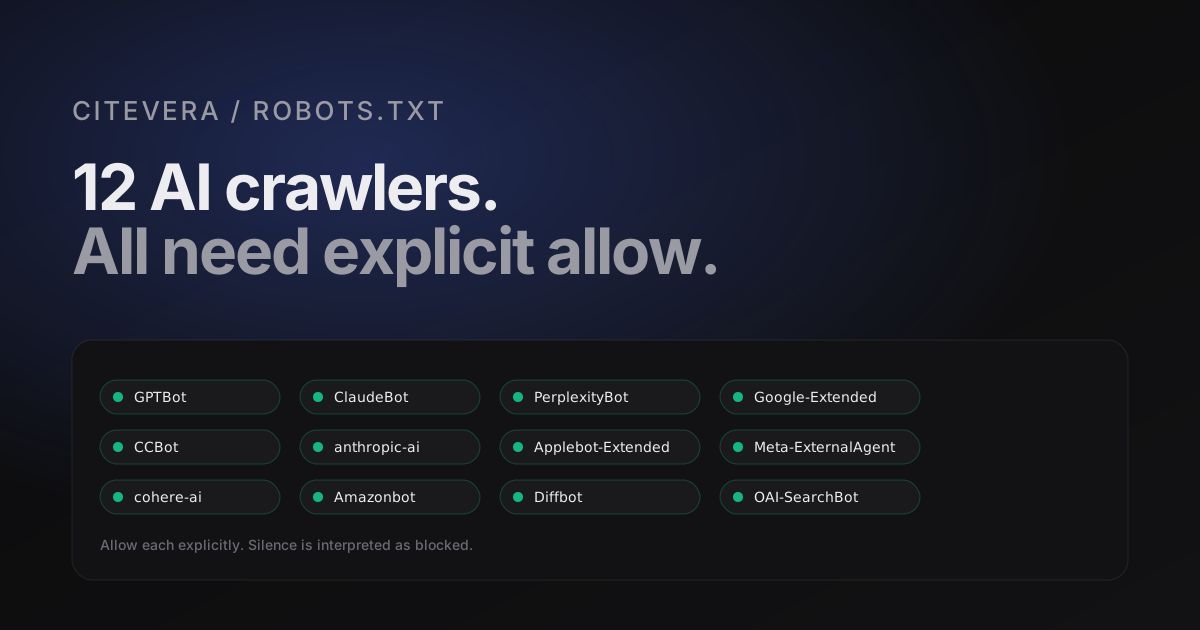
Twelve AI crawler user agents you should explicitly allow in robots.txt if you want your content cited. The full list with verification hints, IP ranges when published, and the robots.txt patterns most sites get wrong.
Why this list matters
If an AI crawler cannot fetch your pages, your pages cannot be cited. That is the whole chain. The commercial answer-engine ecosystem in 2026 runs on 10 to 15 distinct crawlers, most of which share infrastructure with a parent search engine but identify themselves with a distinct user-agent string for policy compliance. The default behavior of many CDNs and WAFs is to treat unknown user agents with suspicion, which means the default answer to "can this crawler reach my site" is often "no".
You want the answer to be "yes, for the ones you recognize". This post lists the user agents that matter, the robots.txt rules each one expects, and the three configuration mistakes we see most often across Citevera audits.
The 2026 reference list
> Not sure what your site declares? Check any URL against all 13 AI crawler agents - free, with the exact robots.txt rule that decides each verdict.
Twelve user agents cover the vast majority of citing traffic today. A thirteenth - Bytespider, associated with ByteDance and Doubao - is included with a caveat below. Allow each one explicitly in robots.txt. Silence is interpreted as "no" by the policy review some engines run before crawling.
OpenAI family
- GPTBot - the primary OpenAI web crawler used for ChatGPT and ChatGPT Search indexing. Published IP ranges at
https://openai.com/gptbot.json. Verification should be done against IP, not UA string. - OAI-SearchBot - the user-facing search crawler that fetches at query time rather than for indexing. Shows up in logs when a user asks ChatGPT a question and the model retrieves a live page.
- ChatGPT-User - used when a ChatGPT user explicitly pastes a URL. Honors robots.txt per the OpenAI docs.
Anthropic family
- ClaudeBot - the primary Claude web crawler.
- anthropic-ai - an older UA still seen in logs; treat the same as ClaudeBot.
- Claude-User - present in some configurations for user-initiated fetches.
Google AI
- Google-Extended - the AI-only allowlist flag. This is not a distinct crawler but a directive that applies to Googlebot when fetching for Bard, Gemini, and Vertex AI. Allow it even though the UA never appears in logs; the directive is what Google honors.
Perplexity
- PerplexityBot - indexing crawler.
- Perplexity-User - query-time fetcher that shows up when a user asks a question that triggers a live fetch.
Common Crawl and downstream
- CCBot - Common Crawl. A large fraction of open-source and research models are trained on CCBot-indexed data, so your content effectively propagates through this UA even when the model vendor never fetched your site directly.
Meta, Apple, and Amazon
- Applebot-Extended - the AI-only allowlist flag for Apple, same mechanism as Google-Extended. Applies to Apple Intelligence ingestion.
- Meta-ExternalAgent - Meta's AI training and inference crawler.
- Amazonbot - covers Alexa and Amazon's generative search surfaces.
Cohere and Diffbot
- cohere-ai - Cohere's web crawler for retrieval-augmented generation.
- Diffbot - powers a large fraction of the structured-data extraction used in enterprise AI retrieval pipelines.
The caveat: Bytespider
Bytespider is ByteDance's crawler. It fetches aggressively and ignores robots.txt in many configurations. Some site operators block it at the network layer to reduce load. If you want to be cited by Doubao and other ByteDance AI surfaces, you need Bytespider allowed; if those surfaces are not in your market, blocking it is defensible.
The robots.txt block
Here is the complete robots.txt block covering the crawlers above. Paste this under your existing rules. Order does not matter to the crawlers themselves, but grouping by vendor makes review easier six months from now when you audit again.
# OpenAI
User-agent: GPTBot
Allow: /

User-agent: OAI-SearchBot
Allow: /

User-agent: ChatGPT-User
Allow: /

# Anthropic
User-agent: ClaudeBot
Allow: /

User-agent: anthropic-ai
Allow: /

User-agent: Claude-User
Allow: /

# Google AI
User-agent: Google-Extended
Allow: /

# Perplexity
User-agent: PerplexityBot
Allow: /

User-agent: Perplexity-User
Allow: /

# Common Crawl
User-agent: CCBot
Allow: /

# Apple, Meta, Amazon
User-agent: Applebot-Extended
Allow: /

User-agent: Meta-ExternalAgent
Allow: /

User-agent: Amazonbot
Allow: /

# Cohere, Diffbot
User-agent: cohere-ai
Allow: /

User-agent: Diffbot
Allow: /
Serve robots.txt as text/plain with at least a 1-hour cache. Do not gzip it unless your CDN does so automatically; some crawlers trip on explicit content-encoding. Verify the file is reachable without cookies, JavaScript, or user-agent sniffing.
Three configuration mistakes
Three patterns account for most of the cases where a site's robots.txt looks right and still blocks the wanted crawlers.
1. Wildcard disallow overrides explicit allow
The failure: a team adds explicit allows for the AI bots but leaves a blanket User-agent: * / Disallow: / block above them. Many crawler implementations interpret the first matching block, not the most specific one, and blanket-disallow wins. The fix is to put the AI allow blocks above any wildcard rule, or to remove the wildcard entirely if you do not need it.
2. WAF blocking before robots.txt reads
Cloudflare, AWS WAF, and similar services can block a crawler before its request ever reaches your robots.txt. The bot's UA gets flagged as "unknown automation", the request returns a 403 or a challenge page, and the crawler records the site as unreachable. Allowlist the known AI crawler UAs at the WAF layer, not just in robots.txt.
3. Case-sensitive UA matching
Some servers and reverse proxies do case-sensitive UA matching. gptbot and GPTBot end up in different buckets. Either configure case-insensitive matching or be rigorous about matching the published UA string exactly, including capitalization.
Verifying that it worked
After you update robots.txt:
1. Fetch the file yourself in a browser with cache disabled. Confirm every block is present and the serving content type is text/plain. 2. Check your access logs for each user agent in the 24 hours after the change. The major crawlers re-check robots.txt every few hours, so you should see at least GPTBot, ClaudeBot, and PerplexityBot traffic within a day. 3. Open your WAF dashboard and confirm no blocks are firing on those UAs. If any are, review the rule that triggered.
If you have no logs infrastructure, a one-off way to verify is to use a hosted robots.txt validator that supports the AI UAs. Most do in 2026.
Run a free audit to see which AI crawlers your site currently allows
Why "default block" is a losing strategy
Every quarter we talk to site owners who decided to block all AI crawlers because they read a piece about "AI stealing content". The argument usually goes: "If I disallow them, my content stays mine." This has three problems.
The first is that disallowing does not remove your content from the citing pool. A model that has already ingested your content (directly or via CCBot) still cites you; your disallow just stops new content from propagating. You have frozen your representation in the models, which decays as your site evolves.
The second is that your competitors are almost certainly allowed. When a user asks a question in your topic, the model picks from the sources it has. If your site is disallowed and your competitor's is not, the answer comes from your competitor. You have taken yourself out of the distribution, not protected it.
The third is that many AI crawlers honor robots.txt voluntarily, but not universally. The ones most likely to ignore it are the ones you would least want to. Your disallow block keeps out the polite, responsible crawlers whose citations you would want. It does very little against the less polite ones.
The sensible default in 2026 is "allow the named AI crawlers, block anything clearly abusive at the WAF, and monitor logs". Blanket disallow solves the wrong problem.
Frequently asked questions about AI crawler user agents
How often should I update my robots.txt?
Quarterly. New crawlers appear faster than you would think; Applebot-Extended and Meta-ExternalAgent both landed on the list in 2024 and a handful of specialized retrieval bots have shown up since. Set a calendar reminder.
Do I need to list both GPTBot and OAI-SearchBot?
Yes. They run on different schedules and one honors an allow for the other only partially. Listing both is explicit and costs nothing.
What about noindex meta tags?
Meta tags do not apply to crawler discovery, only to indexation. If you want a specific page excluded from AI ingestion, use Disallow: /that-page in robots.txt for the specific crawler. Meta noindex is honored unevenly by AI crawlers compared to traditional search engines.
Can I allow an AI bot but block it from specific pages?
Yes. Use Disallow: /some-path inside the specific UA's block. This pattern is useful for keeping admin pages, internal docs, or staging environments out of the AI training pool while letting the marketing site through.