

Self-audit your AEO readiness in 30 minutes
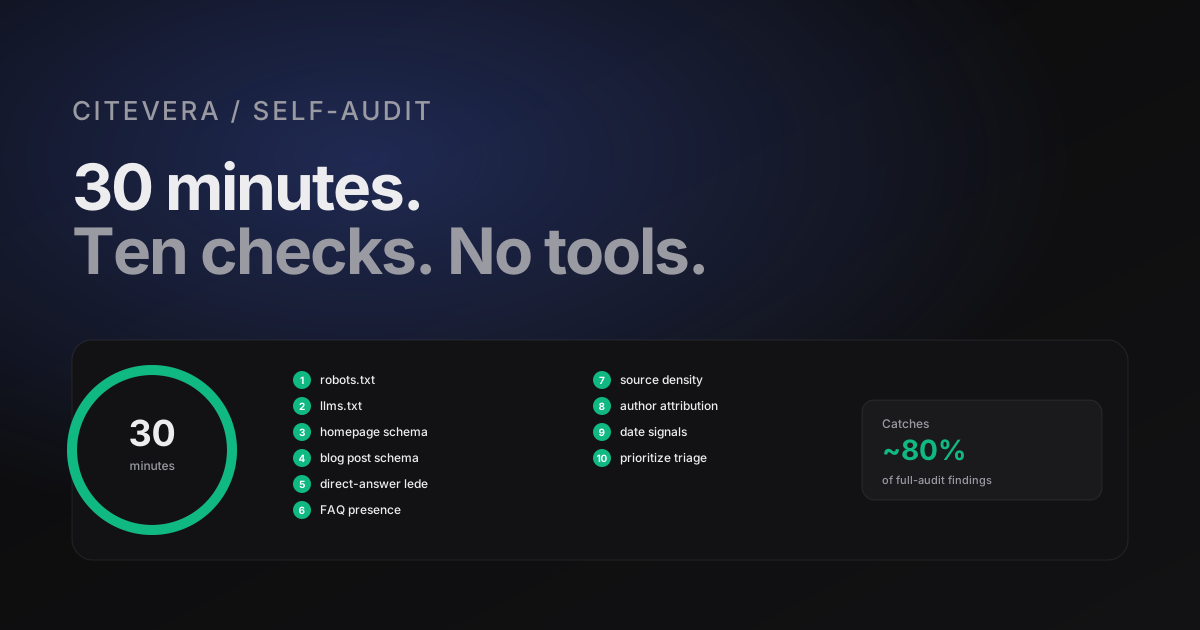
A 30-minute walkthrough you can run yourself without any tools: 10 checks across structure, schema, crawler access, and content that catch roughly 80 percent of the issues Citevera flags in a full audit. Use this as a triage step before deeper work.
What this is
You can run a useful AEO self-audit on any site in 30 minutes without any tools beyond a browser and a JSON validator. It will not catch everything a full Citevera audit catches, but it will catch roughly 80 percent of the high-impact issues and give you a prioritized fix list.
This post is the 30-minute walkthrough. Do it on one site you own. Write the findings down. The note-taking is what turns the audit into action.
Set a timer if you tend to rabbit-hole. 30 minutes is enough for the checks below and not enough for deeper diagnosis; the goal of this walkthrough is triage, not resolution.
Minute 0-3: Robots.txt
Open https://yoursite.com/robots.txt in a browser.
Check:
- The file loads (not 404, not 403).
- It contains explicit
User-agent: GPTBotwithAllow: /(orDisallow:with empty value). - Same for
ClaudeBot,PerplexityBot,Google-Extended,CCBot. - There is no
User-agent: *withDisallow: /at the top that overrides the explicit allows. - The file includes a
Sitemap:directive pointing at a reachable sitemap.
Common red flags: file missing, blanket disallow, Cloudflare challenge page returned instead of the file, missing AI user agents.
Minute 3-5: llms.txt
Open https://yoursite.com/llms.txt.
Check:
- The file exists.
- It has a
#title line with your brand and a one-sentence description. - It has at least one
##section with links to your most important pages. - The links resolve (spot-check 2 or 3).
If the file is missing or empty, add that to your fix list. Shipping a minimum-viable llms.txt is an afternoon of work.
Minute 5-10: Schema validation on the homepage
Open your homepage. View source. Search for application/ld+json.
Check:
- At least one JSON-LD block is present.
- Look for an
Organizationblock with name, url, logo, sameAs. - Optionally look for
WebSitewith potentialAction.
Copy the JSON-LD block, paste into the Schema.org validator at https://validator.schema.org. Check:
- No validation errors.
- All required fields are populated.
- The
urlandlogofields point at live URLs.
If validation fails, add "fix homepage schema" to your fix list.
Minute 10-15: Schema validation on a blog post
Pick one of your top 3 blog posts. View source. Search for application/ld+json again.
Check:
- A
BlogPostingorArticleblock is present. - It has
headline,author,datePublished,dateModified. - The author is a
PersonorOrganizationentity, not a plain string. - If the post has a visible FAQ, there is a
FAQPageblock. - The
FAQPageblock's questions match the visible FAQ questions.
Paste into the validator, check for errors. If the post lacks any of these, note it. The BlogPosting fix is usually a template change that propagates across all posts at once.
Minute 15-20: Direct-answer lede check
Pick 3 pillar pages (the posts you most want cited - usually your top-performing blog posts).
For each, read the first 150 words. Ask:
- Is there a sentence in the first paragraph that answers the post's title directly?
- Is that sentence quotable as-is, without editing?
- Does it reference the entity by its canonical name?
For each pillar where the answer is "no", note it. Rewriting the lede is a 20-minute job per post.
Minute 20-22: FAQ presence and quality
On the same 3 pillar pages, check whether each has a visible FAQ section.
- If yes: are there 3 to 8 genuine questions? Are the answers 2-4 sentences each? Is there corresponding
FAQPageschema? - If no: would an FAQ fit naturally at the bottom of this post? If yes, add "write FAQ block" to the fix list.
FAQ coverage is one of the highest-leverage single improvements for pillar pages. Pages without FAQs that should have them are missing 3 to 6 points of AEO lift each.
Minute 22-25: Source density check
On the same 3 pillar pages, scroll through and count external links.
- How many external links are in the first half of the post?
- Of those, how many go to authoritative sources (publications, documentation, academic, primary data) vs generic or low-authority?
If a post has 0 external links, it is citing nothing. Fix list: "add 3 source links to [post]". If a post has 5+ external links but they all go to low-authority sites, the signal is weaker than no links; consider replacing some.
Minute 25-27: Author attribution
Check your site's blog template. Does each post have:
- A named human author (not "Admin" or "Team")?
- A link to an author page or bio?
- Corresponding
author: Personin the BlogPosting schema?
If any are missing, add "fix author attribution" to the fix list. This is usually a one-time template change.
Minute 27-29: Date signals
Spot-check 3 posts for visible publish date and - if recently updated - a visible "Updated on" date.
Check the source for datePublished and dateModified in the schema.
Check that dateModified is not identical to datePublished on every post. Either every post has never been updated (bad) or the CMS is bumping dateModified on save with no real changes (also bad).
Minute 29-30: The two-minute triage
Look at your fix list. Rank by impact (high / medium / low) using rough guidance:
- High: direct-answer lede rewrites, FAQ blocks on pillar pages, missing schema types, blocked AI crawlers.
- Medium: author attribution, date signals, source-link retrofits.
- Low: llms.txt if already close to ready, breadcrumbs if already present, homepage Organization schema if close.
Schedule the top 3 high-impact items for this sprint. The rest can roll into next sprint.
What this catches and what it does not
The 30-minute walkthrough catches:
- Broken or missing robots.txt configuration.
- Missing or malformed schema.
- Buried direct-answer ledes.
- Missing FAQ blocks.
- Weak source density.
- Missing author attribution.
- Absent date signals.
It does not catch:
- Client-side-rendered content that only appears with JS (requires crawler simulation).
- Mismatched schema vs visible content across many pages (requires crawling).
- Cluster design issues (requires site-wide link analysis).
- Performance bottlenecks in server response time (requires timed fetching).
- Citation tracking (requires ongoing monitoring).
For those you either need a more thorough manual pass or a tool. A Citevera audit covers all of the above automatically in 1-3 minutes for most sites.
Run a free audit to catch what the 30-minute self-check misses
Running this on 10 sites
If you run an agency or manage multiple sites, the 30-minute walkthrough scales reasonably. 10 sites = 5 hours of focused work. You will produce 10 prioritized fix lists, which is better ammunition than a generic "run our full audit" recommendation.
The alternative pattern many agencies use: run a Citevera audit on each site first, get the full list, then use this walkthrough as a verification pass on the sites where the audit flagged specific concerns. Either order works; the self-audit is useful as a first-pass triage or as a sanity check on tool output.
How Citevera complements the self-audit
The free Citevera scan runs roughly the same checks as the walkthrough above, plus the additional depth (schema cross-check across 10 pages, client-side rendering detection, server response timing, link graph analysis) that a human can only do with disproportionate effort. It takes 1-3 minutes and produces a more detailed version of the prioritized fix list you generated by hand.
The workflow we recommend: do the walkthrough once to calibrate your eye for what matters. Run Citevera audits monthly to track progress. Use the walkthrough as a quick sanity check between audits when something looks off.
Frequently asked questions about self-auditing
Can I use browser extensions to speed this up?
Yes. Rich Results Test, the Schema.org validator, and a structured-data viewer extension can cut minutes off the schema checks. Do not rely on a single tool; cross-check between two validators if something looks marginal.
What if my site has 100 blog posts?
Spot-check 3 posts with the walkthrough, then identify whether the issues you find are per-post or template-level. Template-level issues (missing author schema, no BreadcrumbList) propagate; fixing one template fixes all posts. Per-post issues (buried ledes, missing FAQs) require per-post work. You do not need to self-audit every post.
How often should I re-run this?
Quarterly is fine for most sites. More often if you are actively shipping content or running an AEO push. The thing you are checking for is regression - sites drift when plugins change or people edit templates without understanding the implications.
What if the schema validator says the block is valid but my audit flags it?
Different tools check different things. The Schema.org validator checks syntactic validity; a full audit can detect semantic mismatches (schema claiming content that is not on the page). Both are useful; prefer the semantic check when they disagree because the engines do the semantic check too.